Enriching Data with DNSTwister
DNSTwister generates a list of variations of any domain name and populates Explore charts with the subset of the variations that have been registered. You can leverage DNSTwister from the Explore pivoting tool after activation.
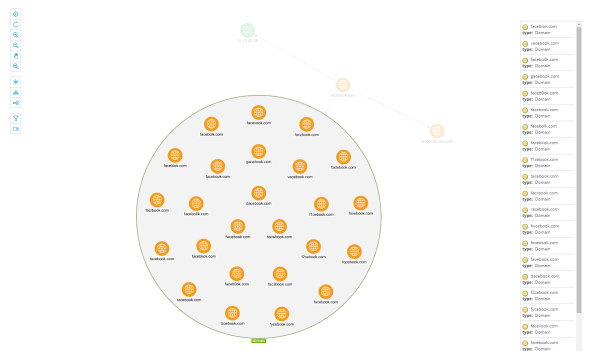
DNSTwister enables the following data transformations:
- Addition—Returns variations in which a character is inserted at the end of the preliminary domain.
- Bitsquatting—Returns variations in which a single character is altered from the preliminary domain.
- Hyphenation—Returns variations in which hyphens are added to the preliminary domain.
- Homoglyph—Returns variations that include lookalike Unicode characters.
- Insertion—Returns variations in which a single character is added throughout the preliminary domain.
- Omission—Returns variations in which a single character is removed from the preliminary domain.
- Repetition—Returns variations that include an additional repeating character.
- Replacement—Returns variations in which a single character replaces any original character from the preliminary domain.
- Subdomain—Returns subdomains created as a result of adding a period to the domain.
- Transposition—Returns variations in which two characters exchange places in the preliminary domain.
- Vowel Swap—Returns variations in which vowels from the preliminary domain are replaced with others.
- Various—Returns any variations provided by DNS Twister which do not fit into any of the above categories.
Additionally, a Run All transformation enables you to return all variations of the domain at once.
To ensure all observables are returned, set the Node Search Limit to at least 100.
To activate the DNSTwister enrichment:
-
Navigate to ThreatStream > APP STORE > APP Store.
-
Locate the DNSTwister enrichment.
- Click Get Access on the DNSTwister tile.
- In the window that opens, click Activate.
The DNSTwister enrichment is now active.